From Beelink to Rack: What Building a Homelab Actually Taught Me
I bought a 16-core server and a rack. Then I spent three days debugging why containers couldn't ping the internet. This is what homelabs actually teach you.
I bought a 16-core Ryzen server and installed it in my rack, and then everything broke down all of a sudden, I'd spent weeks doing NAS research, I had planned and knew my storage requirements, but then I couldn't get a Pi-hole container to reach the internet, and three days later I learned that most of the infrastructure is a network system, and networking is mostly debugging.
The Machine
HYDRA09 arrived in a Silverstone RM51 caseful heavier than my self-confidence.
The specs were ridiculous for a homelab:
- AMD Ryzen 9 7950X - 16 cores, 4.5GHz
- 64GB DDR5
- 3TB of NVMe across three drives
- 32TB of enterprise HDDs
- RTX 4090 for local inference
Update: HYDRA09 has since been upgraded to 192GB DDR5, an RTX PRO 6000 Max-Q, and 2×18TB drives. The lessons below still apply - just at a different scale.
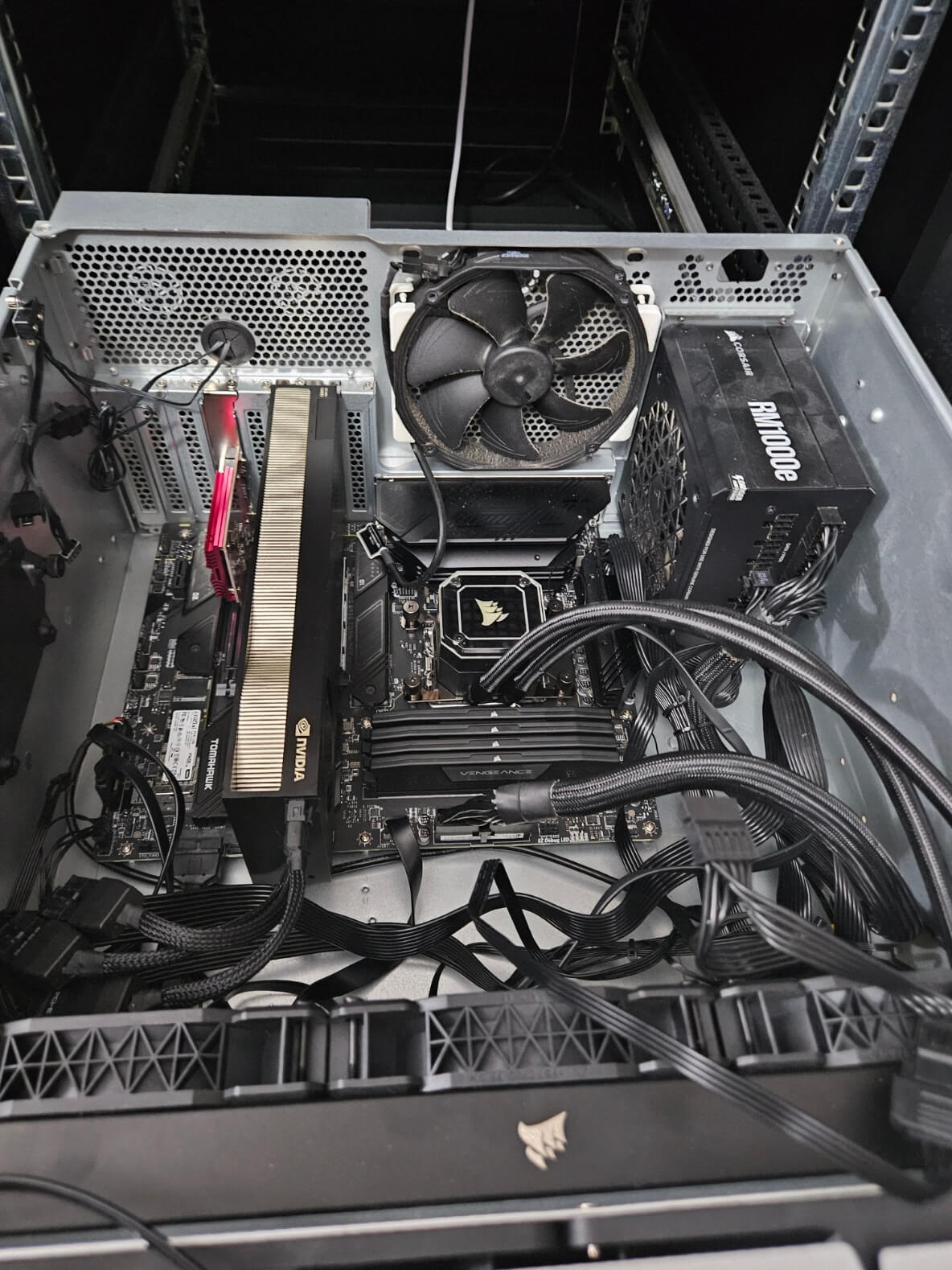
The plan was simple: add it to my Proxmox clustering, share storage, run workloads the Beelink could not manage.
Then nothing worked.
Storage: The First Decision
Before the network connection went down, I had to decide how to handle two 16TB drives. The ZFS support group insisted that it was the best, while Unraid fans said it was too complicated. TrueNAS had a different opinion, but what I really wanted was reliability. RAID 5 requires at least three drives, which I didn't realize. I can do either RAID 1 (mirror) or RAID 0 (don't). I spent too much time researching this. ZFS mirror gives me:
- 16TB usable from 32TB raw
- Checksums that catch bit rot
- Snapshots for free
- Survives one drive failure
Unraid give me:
- Flexible expansion later
- Parity security without striping
- Easier web UI
- But slower performance
I chose ZFS because I was optimizing for reliability, not flexibility. No incremental expansion. Just a stable foundation.
zpool create tank mirror /dev/disk/by-id/scsi-SATA_... /dev/disk/by-id/scsi-SATA_...
Done.
Real lesson: Know what you're optimizing for before choosing tools. "Best" is meaningless without context.
The Network: Where It All Broke
I moved the Pi-hole container from Beelink to HYDRA09.
Old IP: 192.168.88.250 on my LAN. New IP: 10.10.10.250 on the homelab subnet, routed through MikroTik.
I updated the container config, changed the IP, started it up.
Nothing.
No internet. No DNS resolution. Could not ping 8.8.8.8.
Standard debugging:
ip a                    # Interface up? ✓
ip route                # Gateway set? ✓
ping 10.10.10.1         # Can reach gateway? ...
The gateway ping failed.
Then came three hours of staring at configs, questioning reality, and learning network I did not want to recognize.
Culprit One: Wrong Bridge
In Proxmox, my Beelink machine has vmbr0 configured for 10.10.10.0/24 on the network, while HYDRA09 is a new machine that I haven't set up yet. I had not yet configured the bridge for HYDRA09. The container has a valid IP and gateway but can't really connect to the network. The bridge itself did not exist. It's possible that the connection doesn't exist or isn't connected or connected to the wrong interface. The mistake: I created a bridge but still didn't actually connect. The solution is to match the bridge configuration between nodes.
# /etc/network/interfaces on HYDRA09
auto vmbr0
iface vmbr0 inet static
    address 10.10.10.9/24
    gateway 10.10.10.1
    bridge_ports enp3s0
    bridge_stp off
    bridge_fd 0
The container could now ping the gateway.
But still no internet.
Culprit Two: Missing NAT
10.10.10.0/24 is an internal network that requires masquerading to reach the internet, but FastTrack may have been bypassing the NAT chain The solution is: I previously configured this for the Beelink and expected it to work for HYDRA09, but it failed because the NAT rule was too specific or FastTrack was interfering.
/ip firewall nat add chain=srcnat src-address=10.10.10.0/24 \
    out-interface-list=WAN action=masquerade
Disable FastTrack to confirm:
/ip firewall filter disable [find where action=fasttrack-connection]
Packets flowed. Pi-hole resolved DNS. I breathed again.
The Bridge Confusion
When solving a bug, I always get the same thing wrong, which is thinking that creating a bridge meant connecting it. It's in Proxmox you can create vmbr1 specify the IP and specify that the container can use it none of that connects it to anything real, but there's nothing that connects it to the other parts really building a bridge is creating a virtual switch which to make it work you have to have:
- A physical interface attached (or a route configured)
- IP addressing on the same subnet as your router
- NAT or routing rules if isolated
- Firewall rules allowing traffic through
I used to think of network bridges as something like a magic tunnel that only functions as a switch, which are just switches that need to be plugged in, and the amazing thing is that my original Beelink setup was "incorrect" according to Proxmox standards, so I set the IP to eth0, containers went through that and it worked. Sometimes the "correct" method may not work until you understand the reason "why" it has to be that way.
What I Actually Learned
I didn't mean to learn about networking, I meant to come to work in containers, but homelabs do not teach infrastructure, they had to teach me troubleshooting all the time, have to keep track of the files through MikroTik all the time having to write a reboot whenever there is a question "why isn't it working?" this is what I learned NAT rules match topology. Every new subnet requires a new NAT rule to be explicitly defined in the router. Bridges are not magic. They act as virtual switches and require a physical attachment. Here are the key takeaways: what I found is that **Device names are cosmetic. ** nvme0n1 is different from nvme1n1 because it depends on kernel enumeration order, so you should use UUIDs in your configs **FastTrack is a silent killer. ** MikroTik's FastTrack bypasses firewall rules for performance, which is terrible when debugging why packets vanish. Error messages tell you what failed, not why; the truth is in the packet itself, so use tcpdump.
The Takeaway
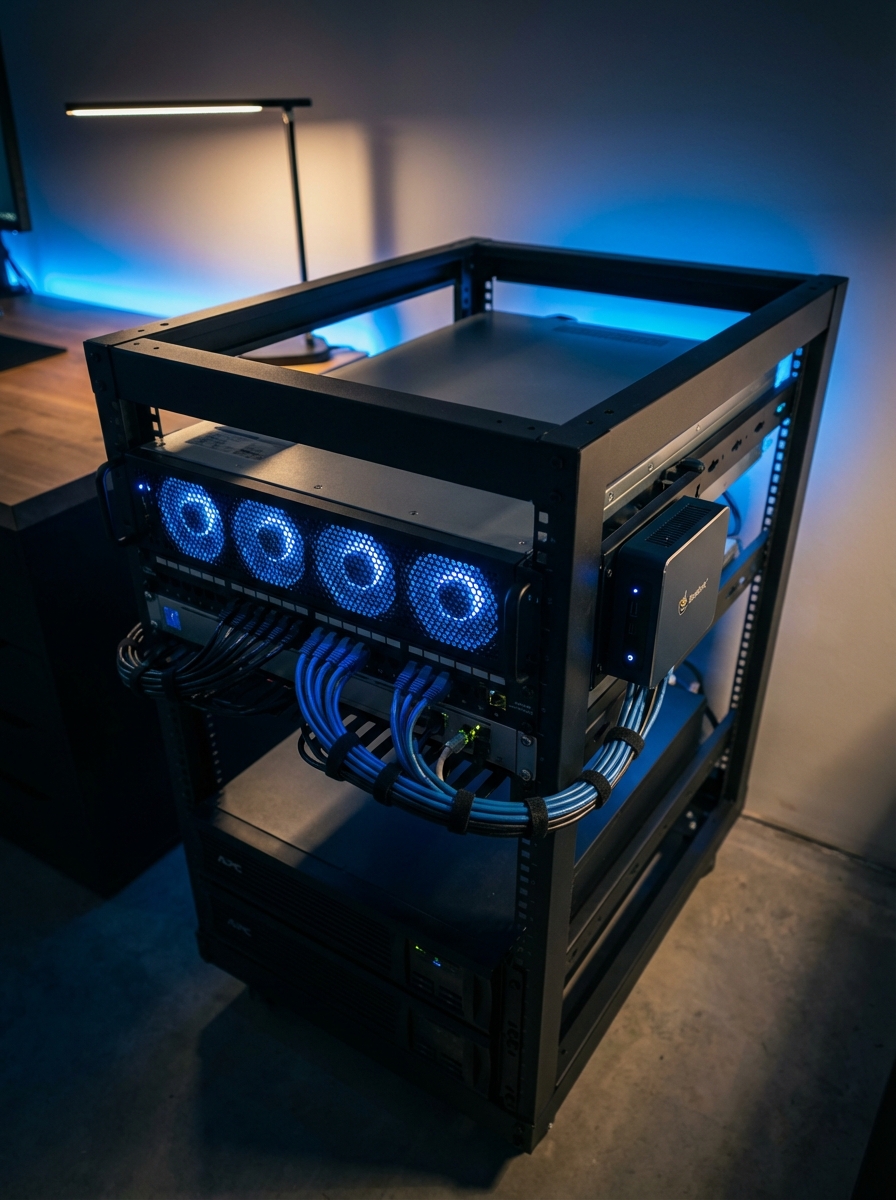
Right now my home lab consists of two Proxmox nodes, a ZFS storage pool, proper networking, and using Pi-hole to manage DNS but the real value is not hardware but it's intuition when something goes wrong in the current work I'm going to check back, start from the basics and assume that nothing is connected until there's solid proof that's the real thing not a repository not a drive or a machine specs but it is a lesson from sitting down for three full days until you understand that infrastructure is just connected systems, and connecting them is the whole problem.
Need to dig deeper into homelab automation? I have built VARGOS to manage this chaos with agents. Or read about agentic infrastructure to see what is possible when you let AI handle the boring parts.